Aşağıdaki ingilizce açıklamadan yola çıkarak gerekli ayarları yaparsanız erişimi engellenmiş sitelere ulaşaşabilirsiniz.
http://www.opendns.com/start/windows_xp.php
Please write down your current DNS settings before switching to OpenDNS, in case you want to return to your old settings for any reason. These instructions will help you find the current settings, and tell you how to change them.
DNS Server 1: _______________________________
DNS Server 2: _______________________________
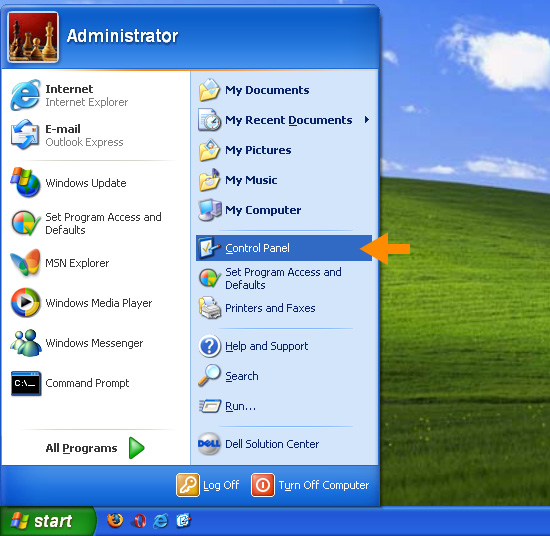
1. Select Control Panel from the Start menu.
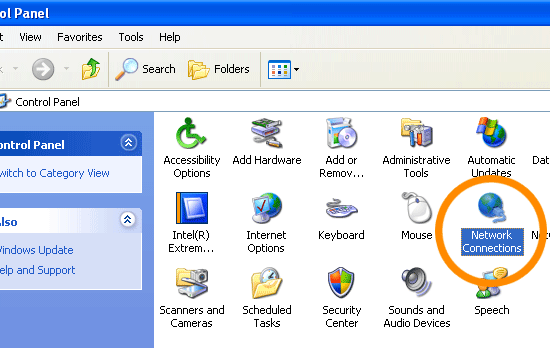
2. Click Network Connections from the Control Panel choices.
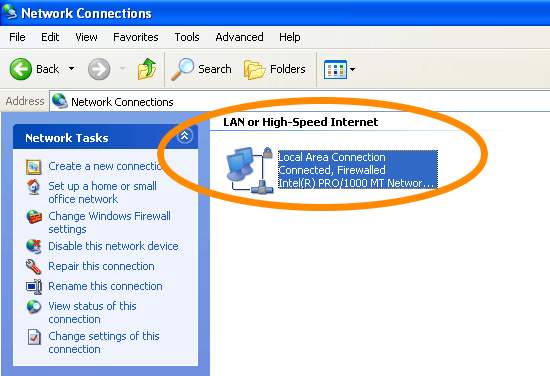
3. Choose your connection from the Network Connections window.
In this screenshot, Local Area Connection is the only choice. If you have more than one, choose your default/current connection.
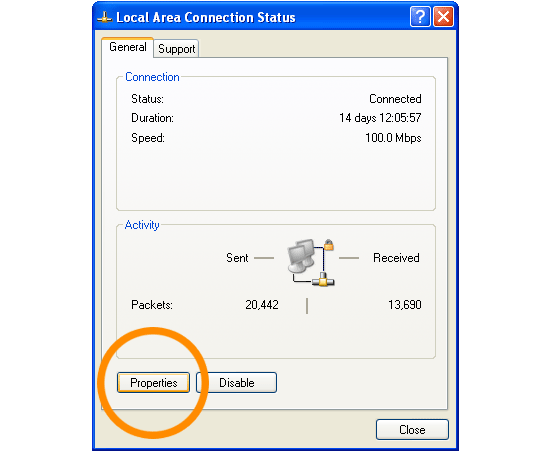
4. Click Properties button.
5. Select Internet Protocol (TCP/IP) and click Properties.
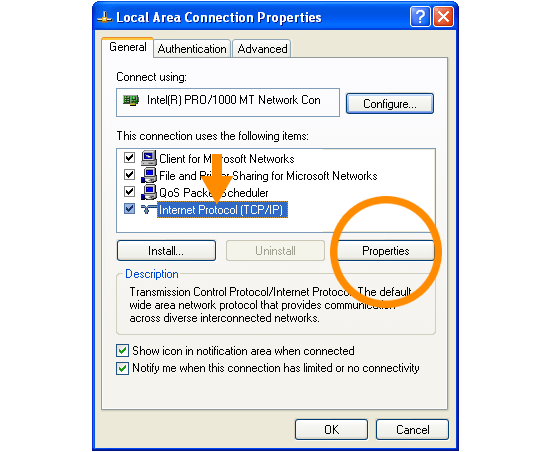
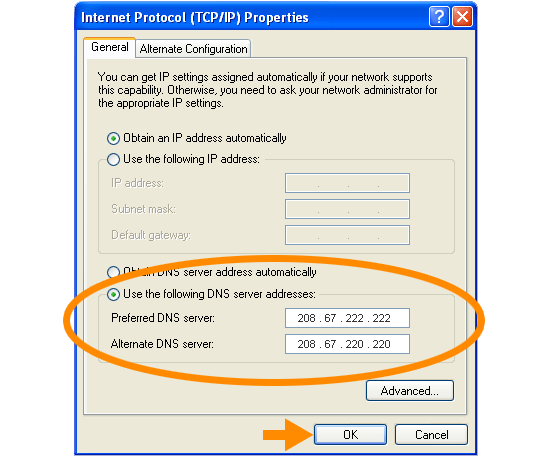
6. Click the radio button Use the following DNS server addresses
and type in OpenDNS addresses in the Preferred DNS server
and Alternate DNS server fields, then click OK.
Please write down your current DNS settings before switching to OpenDNS, in case you want to return to your old settings for any reason.
Preferred DNS server address for Open DNS is:
- 208.67.222.222
Alternate DNS server address for Open DNS is:
- 208.67.220.220
7. Restart your computer.
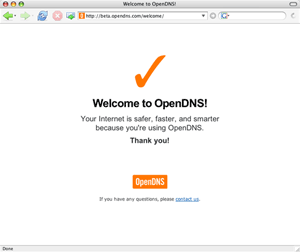
Visit http://welcome.opendns.com/ to test your new settings.
You should see the Welcome page from OpenDNS, as shown below.
Troubleshooting
If you see the Oops page, please try two more tests, in case the Welcome page was improperly cached.
- First, visit our demonstration site internetbadguys.com. If you were successful in switching to OpenDNS, it should be blocked as a phishing site. Otherwise, it will tell you that it’s a demonstration site.
- Second, make a deliberate typo in the TLD, like craigslist.og and see if it resolves to craigslist.org. If you are using OpenDNS, you will be taken to the classifieds site. If you are not, you will get your default browser error page.
Still not working? You may need to restart your web browser and/or router.


Hiç yorum yok:
Yorum Gönder